
menu
Reconnect?
Choosing B2B sales management software is rarely just a matter of comparing dashboards, contact records, or sales reports. For food and beverage businesses, sales are connected to much more: product availability, warehouse operations, delivery routes, invoices, accounting, brokers, distributors, and retail buyers.
A system may look impressive during a demo and still create another silo in your business.
The better question is:
Does the software connect your commercial operations from the sales floor to accounting: or does it simply add one more place to enter information?
This guide explains what producers, distributors, brokers, and other wholesale businesses should evaluate before choosing a platform.
Many businesses begin with a familiar setup:
Each individual step may seem manageable. The problem appears as volume grows.
A single order can require several manual entries. A product sold after the last inventory update may still appear available. An invoice may be delayed because someone is waiting for confirmation. A broker may be working from an outdated price list. At the end of the month, your team is reconciling spreadsheets instead of analyzing sales.
This creates portal fatigue, duplicate data entry, delayed inventory updates, manual exports, and reconciliation work. It also makes errors difficult to trace.
The right wholesale order management system should reduce these handoffs, not digitize them one by one.
| Traditional setup | Connected platform |
|---|---|
| Orders arrive through multiple channels | Orders are centralized in one system |
| Inventory is updated periodically | Inventory updates in real time |
| Sales, warehouse, and accounting maintain separate records | Teams work from shared operational data |
| Delivery routes are recreated manually | Routes are linked to orders and fulfillment |
| Brokers request updated catalogs and prices | Partners access the information they need |
| Accounting re-enters orders and invoices | Sales data syncs with accounting software |
| Buyers contact suppliers individually | Buyers can discover and order from multiple suppliers |
The goal is not necessarily to replace every system you already use. It is to connect the systems and people involved in each transaction.
Inventory accuracy is the foundation of wholesale sales. If your sales team cannot see what is actually available, they cannot confidently promise products to customers.
Look for software that provides:
Real-time inventory should not be limited to the warehouse manager. Producers, distributors, brokers, and retailers should all see the right information based on their role.
PivoHub connects catalogs, ordering, and inventory in one platform. When an order is placed, the relevant inventory information updates across the network instead of waiting for a manual export.

Wholesale orders are more complex than standard online purchases. You may need customer-specific pricing, minimum quantities, case packs, promotions, delivery cutoffs, credits, and partial fulfillment.
Your software should make it easy to:
Ask whether the system supports orders from your team, sales reps, brokers, distributors, and customers: not just one ordering channel.
PivoHub’s seller platform centralizes order management, invoicing, product catalogs, and route management. This helps teams move from order entry to fulfillment without switching between disconnected tools.
A sales platform should not force your accounting team to re-enter every transaction.
Evaluate whether the software can connect with your existing accounting, ERP, EDI, and POS systems. Important questions include:
For smaller and growing businesses, QuickBooks inventory automation can make a meaningful difference by reducing administrative work between sales and bookkeeping.
PivoHub offers integrations with QuickBooks, Acomba, SAGE and other tools across accounting, ERP, EDI, and POS categories. The objective is simple: enter information once and keep every connected system up to date.
As your business grows, inventory may be spread across production sites, shared warehouses, distributor locations, or regional facilities.
Basic inventory software may show one total number. Effective multi-warehouse inventory management should help you understand:
This visibility helps prevent overselling in one market while products sit unused in another. It also supports better delivery planning and more reliable customer commitments.
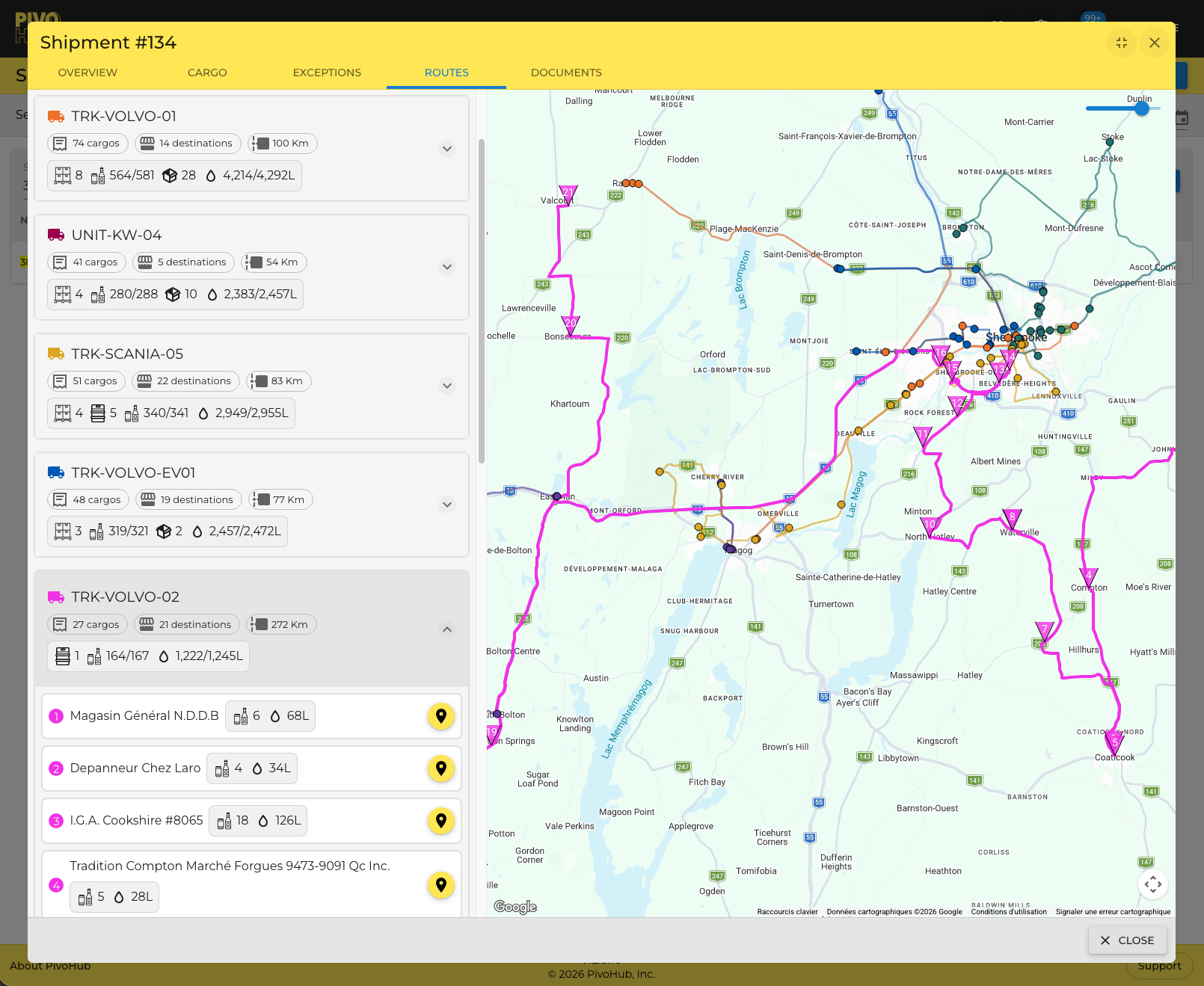
PivoHub’s logistics features connect orders with inventory, routes, and fulfillment. Its transporter tools support route creation, inventory management, automated invoicing, and communication between supply chain partners.
Brokers and sales reps are often essential to food and beverage growth. However, managing multiple brands, territories, and commission rules can quickly become difficult when information is spread across emails and spreadsheets.
Look for features that support:
A broker should not need to ask a producer for a new spreadsheet every time a product, price, or inventory level changes.
With PivoHub’s reps and brokers tools, agencies can coordinate products, clients, territories, and sales teams while working from supplier-provided information.
Your software is also part of your customer experience. If retailers and restaurants find ordering difficult, they are more likely to return to phone calls, texts, and informal reorders.
A strong B2B marketplace for retailers should make it easy to:
PivoHub gives wholesale buyers access to a centralized marketplace where they can discover products from multiple suppliers and place orders in a few clicks. Buyers can use the PivoHub marketplace to organize supplier relationships, manage orders, and keep purchasing information in one place.
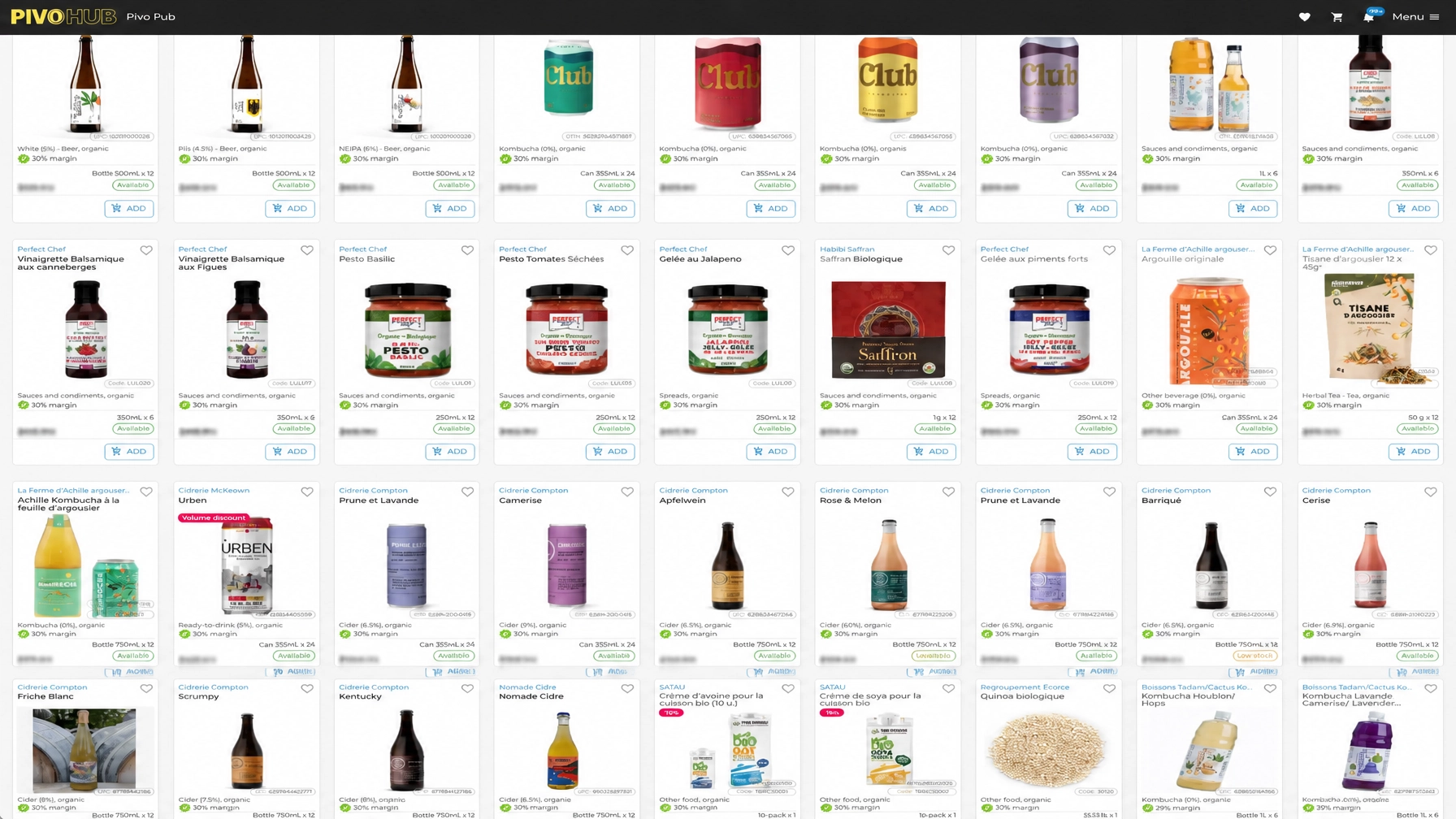
The best buyer experience is not just attractive. It should also reduce work for the supplier by sending a structured order directly into the connected workflow.
Food and beverage sales are multiplayer by nature. A producer may work with a broker, distributor, transporter, retailer, and accounting team on the same transaction.
That means your software should control access while allowing the right data to move between partners.
Ask whether the platform can share:
This is where a connected platform differs most from a collection of separate tools. One transaction should update the relevant stakeholders simultaneously: from sales and inventory to fulfillment, logistics, accounting, and business partners.
Do not rely only on a guided presentation. Bring a real workflow and ask the provider to demonstrate it from beginning to end.
Here are useful questions to ask:
If the answers depend on exporting a file, emailing a spreadsheet, or manually reconciling two systems, take note.
PivoHub is a connected B2B sales operating system for producers, distributors, brokers, resellers, and retailers in the food and beverage industry.
Instead of adding another isolated application, PivoHub brings together:
Implementation can take as little as 2–10 days, depending on your workflows and integrations. That gives growing businesses a practical way to modernize without waiting through a lengthy transformation project.
Most importantly, PivoHub is built as a multiplayer network. When a buyer places an order, the transaction can update sales, inventory, fulfillment, logistics, accounting, and the relevant business partners without requiring every person to enter the same information again.
The “best” B2B sales management software is not necessarily the platform with the longest feature list. It is the one that fits your workflows, integrates with your existing tools, and helps every participant work from reliable information.
Before choosing, map the journey from catalog to order, warehouse, delivery, invoice, and payment. Identify where your team is copying data, waiting for updates, or correcting mistakes. Then evaluate each platform against those real operational needs.
For food and beverage businesses, growth depends on strong relationships and dependable execution. The right connected system can simplify ordering, automate repetitive work, unify your data, and empower your partners: so your team can spend less time chasing information and more time building the next stage of the business.


